Samsung vs. iPhone: Which is More Durable?
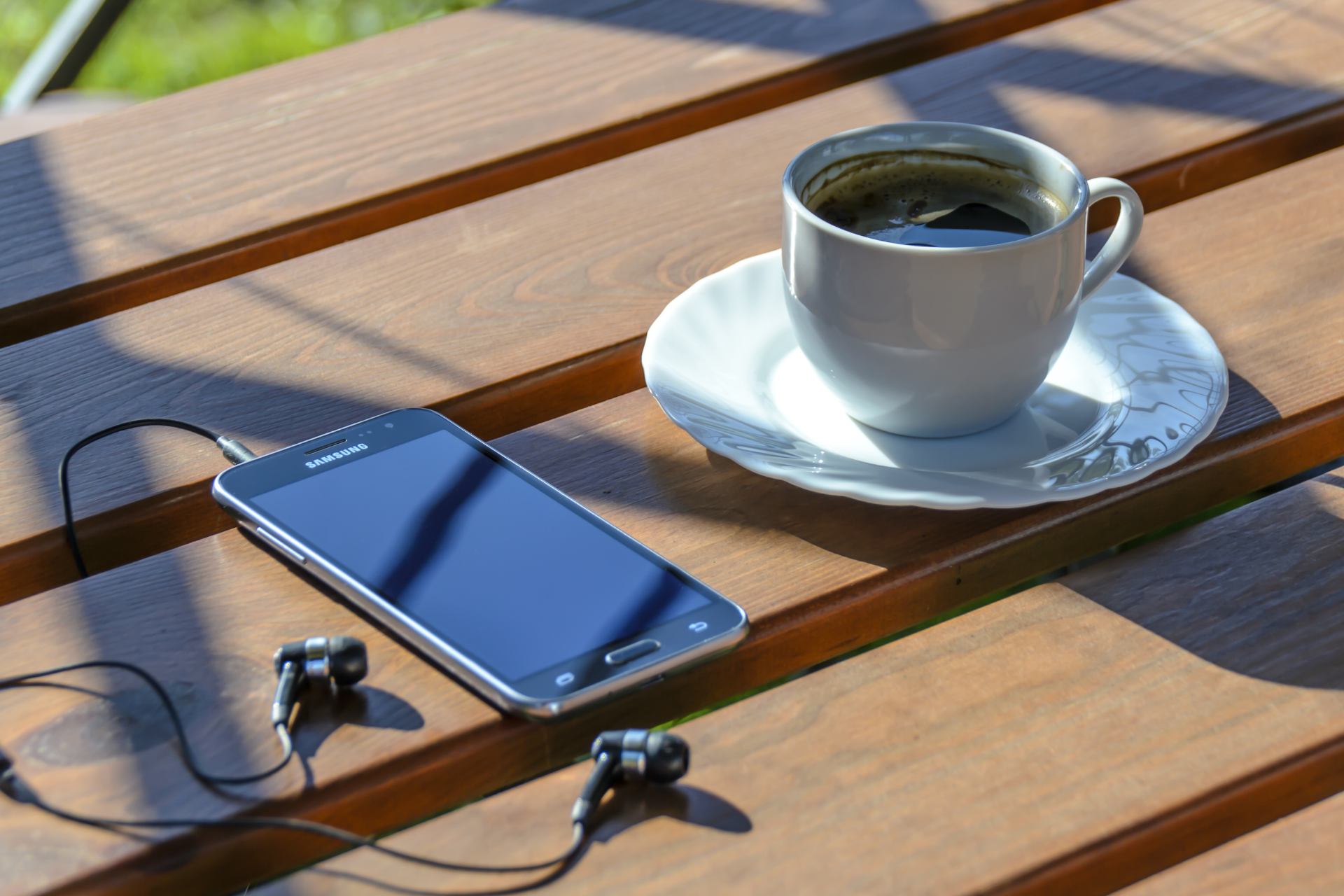
Samsung Phone

When it comes to smartphones, two giants consistently dominate the market: Samsung and Apple. Both brands have loyal followings, and they continually innovate to produce top-of-the-line devices. But if you’re looking for a phone that can withstand the wear and tear of daily life, durability should be high on your list of considerations. So, which is the more durable option — Samsung or iPhone? Let’s dive into this comparison.


First off, we need to highlight that durability can be assessed through several dimensions: build materials, water resistance, drop resistance, and battery longevity. Both Samsung and iPhone have made significant strides in improving the durability of their devices, but they each approach it differently.


Build Materials


Both Samsung and Apple utilize high-quality materials in their smartphones. Most flagship models from both brands feature a glass back and aluminum or stainless-steel frames. However, Apple has developed its ceramic shield front cover, which it claims is tougher than any other smartphone glass available. Samsung, on the other hand, employs Gorilla Glass Victus, which also boasts impressive scratch resistance and protection from drops. In practical terms, these materials resist chips and cracks, but users report that the ceramic shield used by Apple might edge out Samsung in real-world scenarios regarding everyday scratches and minor impacts.


Water and Dust Resistance


Water resistance is another crucial aspect of durability. Both Samsung and iPhone models generally come with an IP68 rating, meaning they can withstand being submerged in water up to certain depths for a specific amount of time. In this category, both brands stand shoulder to shoulder, making it hard to declare a clear winner. However, some users have reported better performance from iPhones when accidentally exposed to moisture, likely due to tighter manufacturing tolerances.


Drop Resistance


When it comes to drop tests, Samsung devices often score surprisingly well, especially with their robust designs and shock-absorbent materials. Studies have shown that the Galaxy series can sustain impact in various simulated drop conditions without significant damage. Meanwhile, iPhones can be a bit more sensitive. Though they come equipped with cutting-edge technology, dropping an iPhone can sometimes lead to more serious damage, especially if the phone lands on its edge.


Battery Longevity


Although not directly tied to physical durability, battery longevity is essential. Both brands provide solid battery life, but iPhones often outperform in battery optimization, helping them last longer throughout the day on a single charge. Additionally, their batteries are known for handling multiple charge cycles without degrading quickly, making them more reliable over the long term.


Final Thoughts


So, which is the more durable phone: Samsung or iPhone? The answer isn’t straightforward. Both brands have strengths and weaknesses in different areas of durability. Samsung tends to excel in drop resistance and has an edge with certain build innovations. However, Apple’s ceramic shield and long-term battery resilience can give it a slight advantage overall.


Here at Nicell Wireless, as a Salt Lake City cell phone repair company, we see our fair share of both Samsung and iPhone devices coming in for repairs. Regardless of the brand, accidents happen. Investing in a good case and screen protector for your phone, regardless of whether it's a Samsung or an iPhone, can significantly enhance its durability. Remember, no matter how tough your smartphone is, it's always a good idea to protect it!


Whether you're team Samsung or team iPhone, our experts at Nicell Wireless are always here to help—be it a repair, an upgrade, or a new device!
By HUMBERTO DIAS July 2, 2026
Protect your phone this summer, especially for delivery drivers. Get $20 off repairs at Nicell Cell Phone Repair today!
By HUMBERTO DIAS July 1, 2026
Same-Day iPhone Battery Replacement in West Valley City, Utah | $20 Off Today
By HUMBERTO DIAS June 29, 2026
Fast, Affordable Phone Repair FAQs for South Salt Lake and Surrounding Areas
By HUMBERTO DIAS June 26, 2026
South Salt Lake Cell Phone Repair | Battery Replacement Near Salt Lake City
By HUMBERTO DIAS June 22, 2026
🔋 iPhone Battery Replacement in Orem, Utah | $20 OFF | Same-Day Service Near BYU & UVU
By HUMBERTO DIAS June 17, 2026
Keep your tablet fast, safe, and long-lasting with these simple tips
By HUMBERTO DIAS June 15, 2026
Simple Mobile Free Phone Promotions and Activation in Salt Lake City
By HUMBERTO DIAS June 11, 2026
👉 Before you trade in your phone, discover how simple repairs can help you qualify for the highest possible credit value and save more on your upgrade.
By HUMBERTO DIAS June 8, 2026
Fast, affordable charging port cleaning and replacement for iPhone, Samsung, Google Pixel, Motorola, and more in South Salt Lake, Utah.
By HUMBERTO DIAS June 5, 2026
Affordable cell phone repair in Orem for college students, including iPhone, Samsung, tablet, and computer repair services.
By HUMBERTO DIAS June 2, 2026
Save on professional phone, tablet, and computer repair services for new customers in South Salt Lake, Utah.
By HUMBERTO DIAS May 28, 2026
Protect your phone from viruses, malware, and performance issues in Orem, Utah
By HUMBERTO DIAS May 26, 2026
Same-day water damage phone repair in South Salt Lake with trusted iPhone and Samsung diagnostics and recovery services.
By HUMBERTO DIAS May 18, 2026
📱 Same-Day Phone Repair in Utah – Fast, Reliable iPhone & Samsung Repair You Can Trust
By HUMBERTO DIAS May 12, 2026
Fast iPhone Back Glass Repair in South Salt Lake, Orem & West Valley City – Same-Day Service Available
By HUMBERTO DIAS May 6, 2026
🔋 iPhone, Samsung & Tablet Battery Replacement in Salt Lake City, Orem & West Valley (Same-Day Service)
May 4, 2026
📱 Fast & Reliable Device Repair in Utah – Cell Phone, Tablet & Computer Repair
A cell phone with a padlock and a key on it.
September 13, 2024
Welcome to the Nicell Wireless blog! Today, we’re diving into a topic that often raises eyebrows and sparks curiosity: unlocked phones. As a Salt Lake City cell phone repair company, we pride ourselves on offering top-notch repairs and reliable products. But what’s the deal with unlocked phones, and why should you consider making the switch? Let’s explore this together! What is an Unlocked Phone? First things first, let’s clarify what an unlocked phone is. Essentially, an unlocked phone is a device that isn’t tied to any specific carrier. Unlike traditional locked phones, which restrict you to a single network provider for years, unlocked phones give you the freedom to choose. Freedom of Choice One of the biggest advantages of purchasing an unlocked phone is the freedom it provides. You can select a carrier that best suits your needs without being bound by contracts or limitations. Whether you’re looking for the best deals on monthly plans or simply want to try out a new network, unlocked phones give you that flexibility. At Nicell Wireless, we believe that your phone should serve you, not the other way around. Cost-Effective Solutions Another major benefit of unlocked phones is the potential for cost savings. When you buy an unlocked device, you're often paying a lower upfront price, especially if you’re considering devices from previous generations. Plus, with the flexibility to switch carriers, you can hunt for the best plans that fit your budget. No more paying for overpriced contracts—just pure savings! Travel Made Easy Are you a frequent traveler? If so, unlocked phones are your best friend! With an unlocked phone in your pocket, you can easily switch out your SIM card to a local carrier at your destination, avoiding hefty roaming charges from your home provider. This means you can keep in touch with family, navigate unfamiliar cities, and enjoy the internet on-the-go without unnecessary expenses. Longevity and Upgrades We all know that technology evolves rapidly. With unlocked phones, you have the opportunity to upgrade your device without the constraints of a carrier contract. When you’re ready for a new phone, just purchase the device you want—I mean, how great is that? More freedom means more options! Plus, you can keep your unlocked phone for years without feeling pressured to switch just because your contract is up. Repair and Service At Nicell Wireless, we specialize not just in phone repairs but in ensuring your overall experience is seamless. By offering unlocked phones , we equip our customers with options that work for them. Whether it’s a quick screen fix for your device or guidance on selecting a new phone, our Salt Lake City team is here to provide total support. Conclusion So there you have it! Unlocked phones offer freedom, flexibility, and cost savings—making them a great option for anyone tired of being tied down by traditional contracts. At Nicell Wireless , we’re committed to supporting you through every step, from choosing an unlocked phone to ensuring all your repair needs are met. Come visit us in Salt Lake City, and let’s find the perfect phone solution for you together! Your phone should adapt to you, and we’re here to make that happen!
A black router is sitting on a white table next to a notebook and a plant.
September 13, 2024
As students, having a dependable internet connection is vital for staying connected, researching, attending online classes, and streaming educational content. At Nicell Wireless, we understand that students need affordable, fast, and reliable internet solutions to support their academic success. Whether you're living in a cozy dorm or a shared apartment, here’s a breakdown of some of the best home internet options tailored for students. 1. Cable Internet Cable internet is an excellent option for students who desire high-speed internet without breaking the bank. With download speeds ranging from 25 Mbps to over 1 Gbps, cable internet can support multiple devices streaming simultaneously. Major providers often offer student discounts, making this a budget-friendly choice. Plus, installation is generally straightforward, and many companies provide equipment without additional costs. 2. Fiber Optic Internet If you're looking for lightning-fast internet, fiber optic service may be the way to go. With speeds reaching up to 1 Gbps or more, fiber is perfect for heavy users involved in online gaming, streaming, or large file downloads. While availability can be limited (especially in certain areas), it's becoming more prevalent in urban areas, including Salt Lake City. Some providers offer student deals or no contracts, allowing for maximum flexibility. 3. DSL Internet Digital Subscriber Line (DSL) internet is typically more affordable than cable or fiber options. While it doesn't offer quite the same speeds as its counterparts—averaging between 5 Mbps and 100 Mbps—it’s a reliable option for students who do light browsing, email, and video calls. DSL technology can also be more widely available in rural areas, ensuring that students studying in less populated regions can still stay connected. 4. Mobile Hotspots For students on the go, a mobile hotspot can provide an excellent alternative to traditional internet services. This option allows you to tap into cellular data for your internet needs, which is particularly useful if you often switch locations or spend time studying away from home. Many providers, including Nicell Wireless, offer affordable mobile plans tailored for students that can be tied into a mobile hotspot device, ensuring you stay connected wherever your studies take you. 5. Satellite Internet For students living in remote areas where traditional broadband isn’t available, satellite internet can be a viable solution. While it tends to have slower speeds and higher latency compared to other options, satellite internet has improved significantly in recent years. Providers like HughesNet and Viasat offer service plans aimed at rural customers, making it easier for students to access internet services when other options aren’t available. Conclusion Finding the right internet solution as a student can feel overwhelming, but it doesn’t have to be. At Nicell Wireless , we offer various home internet plans designed to meet your needs without exceeding your budget. Fast, affordable, and reliable internet is crucial for academic success, and we’re here to support your journey. Whether you prefer cable, fiber, DSL, or mobile hotspots, there’s a perfect internet solution waiting for you. Don’t wait until midterms to secure your connection—check out our offerings today and experience seamless online learning!
A family is sitting on a couch playing a video game.
September 13, 2024
Welcome to the world of gaming, where families can bond over exciting challenges, thrilling adventures, and friendly competitions! At Nicell Wireless, we understand the importance of quality time spent together, and gaming can be a fantastic way to achieve that. If you’re looking for the perfect gaming system that caters to all ages, we've rounded up the top seven gaming consoles that promise hours of fun and entertainment for everyone in your family. 1. Nintendo Switch The Nintendo Switch is a versatile gaming system that can be enjoyed both at home and on the go. With its unique hybrid design, you can easily switch between handheld and docked modes. Featuring family-friendly titles like "Mario Kart 8 Deluxe" and "Animal Crossing: New Horizons," this console offers an engaging multiplayer experience that accommodates players of all ages. 2. PlayStation 5 For families with older kids and teens, the PlayStation 5 (PS5) brings stunning graphics and exhilarating gameplay. With a library filled with action-packed adventures, role-playing games, and sports titles, there’s something for everyone. Plus, exclusive games like "Ratchet & Clank: Rift Apart" make it a worthwhile investment for family fun. 3. Xbox Series X The Xbox Series X is known for its impressive performance and extensive game library. With titles that appeal to younger audiences, like "Minecraft," and more mature options for older kids, this console ensures everyone finds something they enjoy. The Game Pass subscription service provides access to hundreds of games, making it easy for families to explore new experiences together. 4. Nintendo Switch Lite If you’re looking for something more budget-friendly, the Nintendo Switch Lite is a fantastic alternative. It’s designed exclusively for handheld play, perfect for families on the move. Kids will love the colorful design options and access to all the same great Nintendo titles. It’s compact, easy to carry, and great for road trips or family vacations. 5. Oculus Quest 2 Introduce your family to the exhilarating world of virtual reality with the Oculus Quest 2. It's an immersive experience that takes gaming to a whole new level. With a variety of family-friendly games and activities, including fun fitness apps, it's a perfect choice for active family bonding. Just make sure your play area is clear of obstacles for a smooth VR experience! 6. Sega Genesis Mini For a classic gaming experience, the Sega Genesis Mini is a delightful throwback that comes preloaded with beloved titles like "Sonic the Hedgehog" and "Streets of Rage." This nostalgic device is perfect for family game nights, allowing parents to share their childhood favorites with their kids. It's a great option for those who enjoy retro gaming! 7. Apple Arcade If you already have an iPhone , iPad, or Apple TV, consider subscribing to Apple Arcade. This subscription service offers a vast selection of family-friendly games without any ads or in-app purchases. With options for cooperative play, it's a fantastic way to bring the family together and spend quality time without investing in a separate console. Conclusion Choosing the right gaming system for your family doesn't have to be complicated. Each of these consoles offers unique features and a diverse array of games that cater to all interests and age groups. At Nicell Wireless , we want to help you make the best decision for your family’s entertainment needs. Whether you’re embarking on epic gaming adventures or enjoying a cozy night in, these gaming systems will keep everyone engaged and entertained. Happy gaming!
A person is working on a laptop computer with a screwdriver.
September 13, 2024
Hey there, tech-savvy friends! If you’ve ever faced the dread of a malfunctioning laptop, you know that understanding repair costs can feel like navigating a minefield. Here at Nicell Wireless, your trusted Salt Lake City cell phone and tech repair specialists, we want to make this journey a little easier for you. So, grab a snack, sit back, and let’s break down what you can expect when it comes to laptop repair costs. Factors Influencing Repair Costs 1. Type of Damage First things first: the type of damage done to your laptop plays a significant role in pricing. Is it a cracked screen? That can be costly, as screens can range from $100 to $300, depending on the make and model. On the other hand, if your laptop just needs a new battery or a software update, you might be looking at a much smaller bill—perhaps around $50 to $150. 2. Brand and Model Not all laptops are created equal! High-end gaming laptops or Apple's flagship MacBooks typically come with higher repair costs compared to more budget-friendly brands. The availability of parts is another key factor; common models usually have readily available components, while rare or older models might require more expensive or difficult-to-find parts. 3. Type of Repair Different types of repairs can lead to varying costs as well. Basic fixes like software troubleshooting or virus removal might only incur a service charge and take an hour or two of labor. Conversely, more involved jobs, such as a motherboard replacement or liquid spill repairs, can take days and might cost a couple hundred dollars or more. 4. Labor Costs Every tech repair shop has its own labor rates. At Nicell Wireless, we pride ourselves on providing competitive pricing along with exceptional service. Usually, you can expect labor charges to range between $40 to $100 per hour, but this can depend on your location and the expertise of the technicians. Tips for Managing Your Laptop Repair Costs 1. Get a Diagnostic If you’re unsure about the condition of your laptop, start with a diagnostic. Many repair shops, including Nicell Wireless, offer free or low-cost diagnostics. This can save you money in the long run by identifying the root of the problem before it worsens. 2. Ask About Warranty Before diving into repairs, check if your laptop is still under warranty—either through the manufacturer or the repairs shop. Some issues may be covered, saving you a substantial amount of money. 3. Weigh Your Options In some cases, repair might not be the most cost-effective solution, especially for older laptops. Assess repair costs versus the price of a new device. At Nicell Wireless, we also offer a range of unlocked phones and laptops at competitive prices if you decide it might be time for an upgrade. Final Thoughts Navigating laptop repair costs can be daunting, but armed with the right knowledge, you can make informed decisions. At Nicell Wireless , we are here to help you understand your options without breaking the bank. Whether it's a simple fix or a more complicated repair, our team in Salt Lake City is dedicated to providing a transparent and fair pricing structure. So, if your laptop is in need of some TLC, don’t hesitate to reach out! Let’s get you back on track in no time.
A person is inserting a sim card into a cell phone.
September 13, 2024
If you've ever found yourself wondering whether you can use your trusty iPhone without a SIM card, you’re not alone. Perhaps you have an old iPhone lying around, or maybe you’ve recently switched carriers and haven’t activated your new SIM yet. Whatever the reason, at Nicell Wireless, we're here to clarify whether you can tap into all the features of your iPhone sans a SIM card. The Basics: What Happens Without a SIM Card? First off, let’s break down the role of a SIM card. A SIM (Subscriber Identity Module) card is crucial for connecting your phone to a cellular network. It allows you to make calls, send texts, and access mobile data. But does that mean your iPhone is rendered useless without one? Not quite! Using Wi-Fi: Your Lifeline One of the most exciting aspects of modern smartphones is their capability to leverage Wi-Fi. Yes, you can use your iPhone without a SIM card, as long as you have a Wi-Fi connection. This means you can continue to browse the internet, stream videos, and even check your emails. All those social media apps? Fully functional, as long as you're on a Wi-Fi network. Communication Made Easy Worried about staying in touch without traditional texting or calling? Don’t be! Apps like WhatsApp, iMessage, Facebook Messenger, and Skype allow you to communicate over Wi-Fi. You can send messages, make video calls, and keep in touch with friends and family across the globe—all without needing a SIM card. Just ensure you’re connected to Wi-Fi, and you’re good to go! App Store Access Without a SIM, the App Store is still accessible. You can download and use apps that don’t require cellular data. Whether it’s gaming, productivity, or fitness apps, there’s a world of possibilities waiting at your fingertips—even without a SIM! Limitations To Consider While all this sounds wonderful, be aware of a few limitations that come with using an iPhone without a SIM card. As mentioned, you won't be able to make traditional phone calls or access 4G/5G mobile data. You’re also limited to the range of your Wi-Fi connection—so don’t wander too far! Additionally, some features and apps may require a phone number for verification or functionality, which can be a bit of a hassle. For instance, two-factor authentication texts would be impossible to receive. Final Thoughts In a world where connectivity is king, using an iPhone without a SIM card opens up many doors—but it also has its limitations. If you're using your device primarily for internet browsing, social media, and Wi-Fi-based communication, then you're well-equipped to make it work. At Nicell Wireless , we specialize in keeping your devices running smoothly, whether you’re using an iPhone with a SIM card or going SIM-free. If you're facing any issues or want to explore unlocked phones , don’t hesitate to reach out to us. Our experienced team in Salt Lake City is here to help with all your cell phone repair needs! So grab that old iPhone and put it to good use—Wi-Fi or not!
A person is repairing a cell phone with a screwdriver.
September 12, 2024
In our tech-driven world, our cell phones have become extensions of ourselves. They’re like our digital sidekicks, holding everything from important emails to cherished memories captured in photos. So when something goes wrong—whether it’s a cracked screen, a malfunctioning battery, or any number of issues—it can feel like a mini-crisis. The big question is: should you try to fix it yourself (DIY) or call in the pros like Nicell Wireless? Let’s dive into the pros and cons of both sides, so you can make the right choice for your needs. Going the DIY Route With a plethora of online tutorials and videos, repairing your cell phone might seem like an enticing option. After all, it’s kind of satisfying to say, “I fixed it myself!” But before you grab that toolkit, here are some things to consider: 1. Cost-Effective DIY repairs can save you money upfront. A replacement battery or screen might cost significantly less than a service fee. 2. Control Over the Process You can work at your own pace and feel satisfied by completing a hands-on project. For the tech-savvy individual, this can be both a rewarding and educational experience. 3. Risk of Further Damage Here’s the catch: jumping into a repair without proper knowledge can lead to compounded issues. A small misstep could turn a simple fix into a much larger problem, which might end up costing more in the end. 4. Warranty Concerns Many manufacturers void warranties if unauthorized repairs are attempted. If you're not careful, you might lose out on future support. Calling a Professional On the other hand, opting for a professional service like Nicell Wireless might save you headaches in the long run. Here’s what makes our services stand out: 1. Expertise and Experience Professionals have the training and experience needed to identify and fix problems efficiently. At Nicell Wireless, our technicians specialize in repairing iPhones , Samsung phones, laptops , computers , and even gaming systems. You’re not just another job; we treat your devices as our own. 2. Quality Assurance We use quality parts and stand behind our work. This means you can trust that your phone will be repaired to a high standard, and you’ll likely be offered a warranty on the repairs. 3. Time-Saving Let’s face it—life is busy! Professional repair services can often fix issues in a fraction of the time it would take you to figure it out. Whether it’s a same-day repair or a quick turnaround for more complicated issues, you’ll appreciate not waiting weeks for your device. 4. Peace of Mind Knowing that a skilled technician is handling your device can alleviate stress. There’s something comforting about leaving repairs to the experts, especially when the stakes are high. The Bottom Line Choosing between DIY repairs and professional services isn’t always black and white. If you have the skills and a minor issue, a DIY approach might work. However, for more complicated repairs—or if you're not 100% confident—going professional can save time, money, and a lot of frustration. At Nicell Wireless , we’re here to help with any issues your devices may face, big or small. From screen replacements to battery issues, our Salt Lake City team is equipped to get you back on track. Don't hesitate to reach out and let us handle the challenge! Your cell phone deserves the best care—after all, it’s your lifeline to the world.
A woman is taking a picture of the ocean with her cell phone.
September 12, 2024
Welcome to the Nicell Wireless blog! If you own a Samsung Galaxy device, you’re part of a vast community that loves the combination of powerful features and sleek design these smartphones offer. However, like any tech, they can run into problems from time to time. No need to worry—today, we’re sharing some quick fixes for common issues that can pop up with your Samsung Galaxy phone. 1. Battery Draining Quickly If you find that your battery drains faster than expected, it might not be just wear and tear. Check for any apps running in the background that might be consuming more power. Go to Settings > Battery and device care > Battery > Background usage limits. You can limit the apps that run in the background and extend your battery life significantly. Also, enabling power-saving mode can help if you’re in a bind. 2. Phone Overheating Sometimes your phone might feel like it’s running a marathon—too hot to touch! If your Galaxy phone is overheating, it’s usually a sign that you’re multitasking too much. Close any unnecessary apps and avoid using power-hungry applications. If the issue persists, consider restarting your phone. In extreme cases, a factory reset may be needed, but be sure to back up your data first. 3. Apps Crashing or Freezing We all rely heavily on our apps, and it can be frustrating when they crash or freeze. First, make sure your apps are updated by heading to the Google Play Store. If that doesn’t work, try clearing the app cache. Navigate to Settings > Apps > [app name] > Storage > Clear cache. This should give the app a fresh start without deleting your data. 4. Wi-Fi Connection Issues A shaky Wi-Fi connection can leave you feeling disconnected. If you’re facing troubles, the first step is to forget the network and reconnect. Go to Settings > Connections > Wi-Fi, tap on the network and select “Forget.” Then reconnect by entering your password again. If that doesn’t help, consider restarting your router! 5. Screen Issues (Touch Sensitivity) If your screen isn’t responding to your taps, there are a couple of things to check. First, make sure the screen is clean and free of any debris. Sometimes, a dirty screen can lead to touch sensitivity issues. If it’s still not working, check if you have any screen protectors that might be interfering and consider adjusting the touch sensitivity settings within Settings > Display > Touch sensitivity. 6. Updating Your Software Keeping your device software up to date is crucial for its performance. Regular updates provide essential fixes and improvements. To check for updates, go to Settings > Software update > Download and install. Downloading the latest software ensures your phone runs smoothly and has the latest security features. Conclusion While it’s easy to feel frustrated when your Samsung Galaxy is giving you trouble, many common issues have quick and simple fixes. At Nicell Wireless , we’re not just here to fix phones but to empower you to enjoy seamless communication with your device. If you ever find yourself stuck with a problem you can’t solve, don’t hesitate to visit us in Salt Lake City. We specialize in repairing Samsung phones, iPhones , laptops , and more. Happy troubleshooting!
More Posts