My iPhone Won’t Charge: 7 Things to Try Before Charging Port Repair in South Salt Lake, Utah
Is your iPhone not charging? Try these 7 simple steps before paying for a repair, and learn when it’s time to visit a professional iPhone repair shop in South Salt Lake.
My iPhone Won’t Charge: 7 Things to Try Before Charging Port Repair in South Salt Lake, Utah
Is your iPhone not charging? Try these 7 simple steps before paying for a repair, and learn when it’s time to visit a professional iPhone repair shop in South Salt Lake.
If your iPhone suddenly stops charging, you may immediately think the charging port is damaged and needs to be replaced. However, that is not always the case.
A bad charging cable, damaged power adapter, debris inside the charging port, moisture, a weak battery, or a software issue can all cause charging problems.
Before paying for an iPhone charging port repair, try these seven simple steps.
1. Try a Different Charging Cable
One of the easiest things to check is the charging cable.
Cables can become damaged internally even when they look perfectly normal. If your iPhone is not charging, try a different cable that you know works properly.
If the phone charges normally with another cable, you may not have a problem with the iPhone itself.
2. Try a Different Charger and Outlet
The charging adapter or wall outlet could also be the problem.
Try connecting your iPhone to another power adapter and a different wall outlet. If possible, test the charger with another device.
If other devices charge normally but your iPhone does not, the issue may be with the phone.
3. Check the iPhone Charging Port for Debris
Pocket lint, dust, and other debris can accumulate inside an iPhone charging port.
When enough debris builds up, the charging cable may not make proper contact with the charging connectors. Your iPhone may charge slowly, charge intermittently, or stop charging completely.
If the cable feels loose or does not seem to connect correctly, the charging port should be inspected.
Avoid using sharp metal objects inside the port, since they can damage the connectors.
4. Restart Your iPhone
Sometimes a temporary software problem can interfere with charging.
Restart your iPhone and then connect it to a known-working charger and cable.
If the phone begins charging normally after restarting, the problem may have been temporary rather than a hardware failure.
5. Check for Moisture
If your iPhone was recently exposed to water, rain, humidity, or another liquid, do not immediately connect a charging cable.
iPhones can detect moisture in the charging port and may prevent wired charging to reduce the risk of damage.
If your phone was exposed to liquid and continues having charging problems after it is dry, professional inspection may be necessary. Liquid can cause corrosion or damage inside the charging port and other components.
6. Try Wireless Charging
If your iPhone supports wireless charging, try placing it on a compatible wireless charger.
If the iPhone charges wirelessly but does not charge through the cable, this can be an important clue that the problem may be related to the charging port, cable connection, or another part of the wired charging system.
A technician can inspect the phone and determine whether cleaning, repair, or replacement is appropriate.
7. Consider the Battery
A battery that is significantly worn or damaged can also cause charging problems.
If your iPhone has been losing battery life quickly, shutting down unexpectedly, becoming unusually hot, or showing other battery-related symptoms, the battery may need to be inspected.
In some situations, replacing the battery can solve the charging problem without replacing the charging port.
When Does an iPhone Need Charging Port Repair?
Your iPhone may need professional charging port repair when:
- Multiple working cables do not charge the phone
- The charging cable feels unusually loose
- The phone only charges when the cable is held at a certain angle
- Charging starts and stops repeatedly
- The charging port is visibly damaged
- The phone was exposed to liquid
- The charging port has been professionally cleaned but still does not work
- The iPhone charges wirelessly but not through the charging cable
A professional technician can inspect the charging port before recommending a replacement. In some cases, cleaning or a smaller repair may solve the problem.
Can a Dirty iPhone Charging Port Be Cleaned Instead of Replaced?
Yes. A charging port does not automatically need to be replaced just because an iPhone is not charging.
Dust and pocket lint can prevent the charging cable from making proper contact. A technician can inspect the port and determine whether cleaning is appropriate.
If the port is damaged, corroded, or has another hardware problem, repair or replacement may be necessary.
The best approach is to diagnose the problem first rather than replacing parts unnecessarily.
iPhone Charging Port Repair in South Salt Lake, Utah
If you have tried different cables and chargers and your iPhone still will not charge, professional diagnosis can help determine the actual cause.
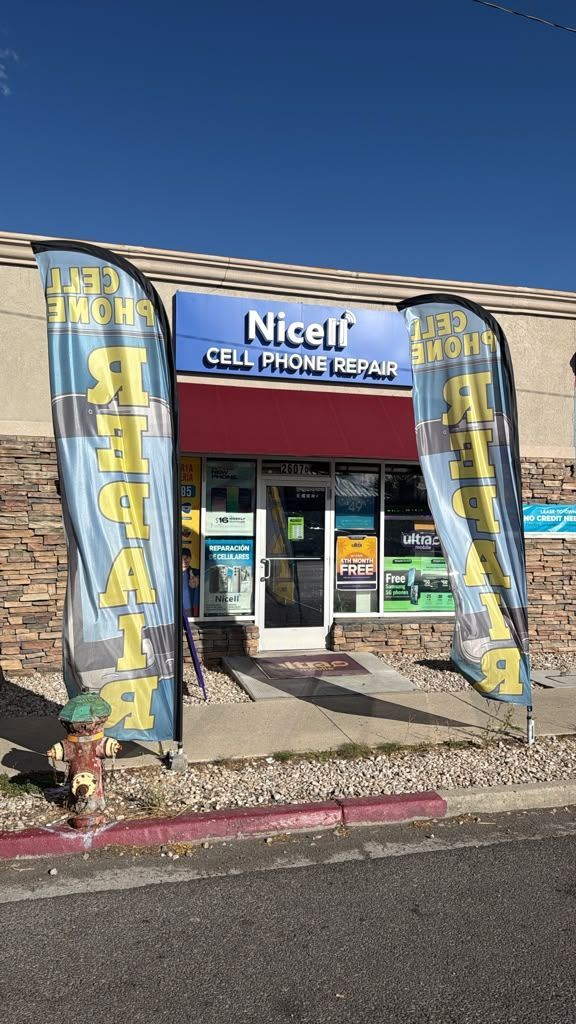
Nicell Cell Phone Repair in South Salt Lake provides professional iPhone and cell phone repair services, including:
- iPhone screen repair
- iPhone battery replacement
- Charging port cleaning
- Charging port repair and replacement
- Back glass repair
- Camera repair
- Speaker and microphone repair
- Water damage inspection
- Board-level repair
- Samsung and other smartphone repairs
Our South Salt Lake location is convenient for customers from South Salt Lake, Salt Lake City, Sugar House, Murray, Millcreek, Holladay, Midvale, and surrounding Salt Lake County communities.
Whether you live in South Salt Lake or are coming from nearby Salt Lake City neighborhoods, you can visit Nicell Cell Phone Repair for professional iPhone charging and other cell phone repair needs.
Visit Nicell Cell Phone Repair in South Salt Lake
Nicell Cell Phone Repair
2607 S State St, Suite D
South Salt Lake, UT 84115
Phone: 385-294-1385
If your iPhone won't charge and you are not sure whether the problem is the cable, battery, debris, or charging port, have the phone inspected before paying for unnecessary repairs.
Contact Nicell Cell Phone Repair:
https://www.nicellwireless.com/salt-lake-city
Frequently Asked Questions
Why won't my iPhone charge?
An iPhone may stop charging because of a bad cable, charger, debris in the charging port, moisture, a worn battery, software problems, or hardware damage.
How do I know if my iPhone charging port is damaged?
Common signs include intermittent charging, a loose cable connection, charging only when the cable is positioned a certain way, or the phone not recognizing multiple known-working charging cables.
Can a dirty iPhone charging port cause charging problems?
Yes. Dust and pocket lint can prevent the charging cable from making proper contact with the charging connectors.
Should I clean my iPhone charging port myself?
Be careful when cleaning a charging port. Sharp or metallic objects can damage the connectors. If you are unsure, professional inspection and cleaning can help prevent additional damage.
How much does iPhone charging port repair cost in South Salt Lake?
The cost depends on the iPhone model and the actual cause of the charging problem. A technician should inspect the phone first to determine whether it needs cleaning, repair, or replacement.
Can a bad battery make an iPhone appear not to charge?
Yes. A worn or damaged battery can cause charging and power-related problems. If the iPhone also has poor battery life, unexpected shutdowns, or other battery symptoms, the battery should be inspected.
Is it worth repairing an iPhone that won't charge?
It depends on the iPhone model, condition, age, and repair needed. A charging problem does not automatically mean you need to replace the phone. Getting a diagnosis can help you understand your repair options before making a decision.
Where can I get iPhone charging port repair near Salt Lake City?
Nicell Cell Phone Repair in South Salt Lake provides iPhone charging port inspection, cleaning, repair, and replacement for customers from South Salt Lake, Salt Lake City, Sugar House, Murray, Millcreek, Holladay, Midvale, and nearby communities.
Where is Nicell Cell Phone Repair in South Salt Lake?
Nicell Cell Phone Repair is located at 2607 S State St, Suite D, South Salt Lake, UT 84115. The store provides iPhone, Samsung, tablet, computer, and other cell phone repair services.
Final Takeaway
If your iPhone won't charge, don't immediately assume that the charging port needs to be replaced.
Start with these seven steps:
- Try a different charging cable.
- Try another charger and outlet.
- Check the charging port for debris.
- Restart the iPhone.
- Check for moisture.
- Try wireless charging.
- Consider the battery.
If the problem continues, professional inspection can help identify whether your iPhone needs charging port cleaning, charging port repair, battery replacement, or another type of repair.
Need iPhone repair in South Salt Lake, Salt Lake City, or nearby areas? Contact Nicell Cell Phone Repair and have your phone checked before replacing parts unnecessarily.