My iPhone Won’t Charge: 7 Things to Try Before Charging Port Repair in Orem, Utah
Is your iPhone not charging? Try these 7 simple steps before paying for a repair, and learn when it’s time to visit a professional iPhone repair shop in Orem.
My iPhone Won’t Charge: 7 Things to Try Before Paying for a Charging Port Repair in Orem, Utah
Is your iPhone not charging? Try these simple steps before paying for a charging port repair. Learn when your iPhone needs professional repair in Orem, Utah.
If your iPhone won't charge, don't immediately assume that the charging port needs to be replaced.
A charging problem can come from something simple, such as a damaged cable or debris inside the charging port. It can also be caused by moisture, a worn battery, software problems, or damage to the phone's charging system.
Before paying for an iPhone charging port repair in Orem, there are several things you can safely check.
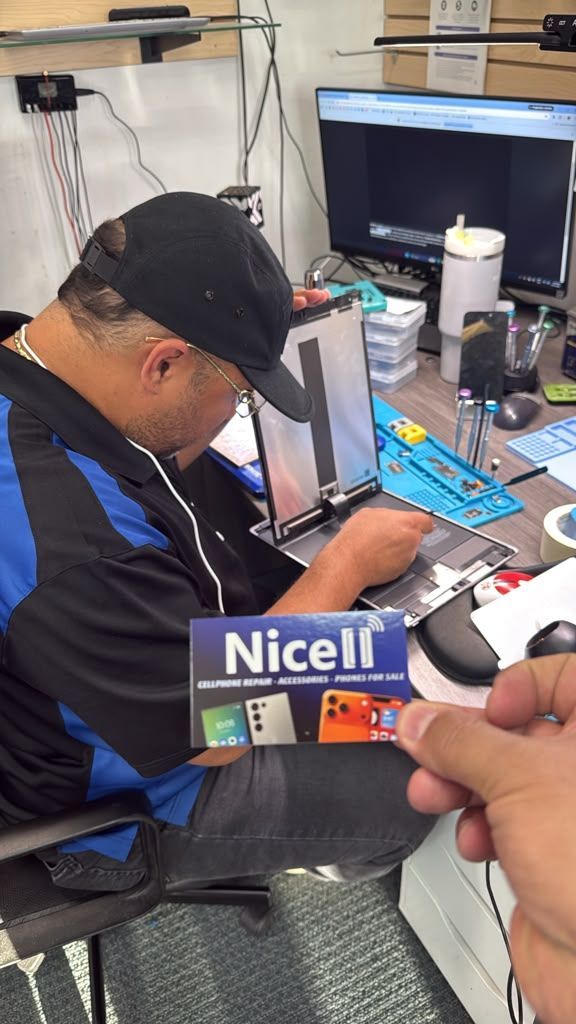
If you've already tried these steps and your iPhone still won't charge, Nicell Cell Phone Repair in Orem, Utah can inspect the device and help determine what is actually causing the problem.
1. Try a Different Charging Cable
Start with the simplest possibility: your charging cable.
Charging cables can wear out or become damaged internally even when they look fine.
Try a different cable that you know works with another device.
If your iPhone starts charging normally, the cable may have been the problem rather than the iPhone itself.
2. Try a Different Charger and Outlet
The power adapter or electrical outlet could also be causing the problem.
Try:
- A different wall outlet
- A different charging adapter
- A different charging cable
- Another known-working charging setup
If your iPhone still doesn't charge with multiple working cables and chargers, the problem may be inside the phone.
3. Check the iPhone Charging Port for Debris
Pocket lint, dust, and other debris can accumulate inside an iPhone charging port.
When debris builds up, the charging cable may not make proper contact with the internal connectors.
You may notice:
- The cable feels loose
- The cable doesn't go completely into the port
- Charging starts and stops
- The phone only charges when the cable is positioned a certain way
- The iPhone isn't recognizing the charger
Be careful when attempting to clean the port. Do not force sharp objects into the charging port, because the internal components can be damaged.
If you suspect debris is preventing your phone from charging, professional charging port cleaning may solve the problem without requiring a port replacement.
4. Restart Your iPhone
Sometimes a charging problem can be related to software rather than hardware.
Restart your iPhone and then connect the charger again.
If the phone was temporarily experiencing a software issue, charging may return to normal after restarting.
If your iPhone is frozen or completely unresponsive, you may need to perform a force restart using the appropriate procedure for your model.
5. Check for Moisture
Did your iPhone recently get wet?
If so, don't immediately connect a charging cable.
Moisture inside the charging port can interfere with charging and may lead to corrosion or other damage.
Avoid using heat or inserting objects into the port to dry it.
If your iPhone was exposed to water and continues having charging problems, professional inspection can help identify whether there is water damage or corrosion affecting the charging system.
6. Try Wireless Charging
If your iPhone model supports wireless charging, try it.
If wireless charging works but the phone won't charge through the cable, that information can help identify where the problem may be.
The issue could potentially involve:
- The charging cable
- The charging adapter
- Debris in the charging port
- Damage to the charging port
- Another internal component
Wireless charging working does not automatically mean that your charging port needs replacement, but it can be a useful diagnostic clue.
7. Check the Battery
Sometimes a charging problem isn't actually a charging-port problem.
A worn or failing battery can cause symptoms such as:
- Very fast battery drain
- Unexpected shutdowns
- Difficulty holding a charge
- The phone becoming unusually warm
- The battery percentage behaving abnormally
- The phone turning off shortly after being disconnected from the charger
In these situations, iPhone battery replacement may be more appropriate than charging port repair.
That's why diagnosing the actual problem before replacing a component is important.
When Does an iPhone Need Charging Port Repair?
If you've tried another cable and charger, checked for debris, restarted your iPhone, and ruled out moisture, but the phone still won't charge, the charging port may need professional attention.
Possible causes include:
- Damaged charging port
- Worn internal connectors
- Corrosion
- Liquid damage
- Battery problems
- Internal hardware problems
- Charging accessory problems
A professional inspection can help determine whether your iPhone needs charging port cleaning, charging port repair, charging port replacement, battery replacement, or another type of iPhone repair.
Can a Dirty Charging Port Be Cleaned Instead of Replaced?
Yes, in some cases.
If lint, dust, or debris is preventing the charging cable from making proper contact, cleaning the charging port may solve the problem.
This is why it is usually better to diagnose the issue before automatically replacing the charging port.
A professional technician can inspect the port and determine whether cleaning is appropriate or whether there is physical damage that requires repair.
iPhone Charging Port Repair in Orem, Utah
If your iPhone still won't charge after trying these steps, Nicell Cell Phone Repair in Orem can inspect your device and help identify the cause of the problem.
Our Orem location provides iPhone repair and cell phone repair, including:
- iPhone screen repair
- iPhone battery replacement
- Charging port cleaning
- Charging port repair and replacement
- Back glass repair
- Camera repair
- Speaker and microphone repair
- Water damage diagnostics
- Board-level repair
- Other smartphone repairs
Nicell Cell Phone Repair's Orem location is at 244 E University Pkwy, Orem, UT 84058, serving customers in Orem and surrounding Utah County communities.
We serve customers from areas including Orem, Provo, Vineyard, Lindon, Pleasant Grove, American Fork, and surrounding communities.
Need help with your iPhone?
Visit the Nicell Cell Phone Repair Orem location page for contact information, hours, directions, and repair services:
Nicell Cell Phone Repair – Orem, Utah
Frequently Asked Questions
Why won't my iPhone charge?
An iPhone may stop charging because of a damaged cable or charger, debris inside the charging port, moisture, battery problems, software issues, or internal hardware damage.
How do I know if my iPhone charging port is damaged?
A loose charging connection, intermittent charging, a cable that doesn't fit correctly, or charging that only works when the cable is held at a certain angle can indicate a charging-port problem.
Can a dirty iPhone charging port cause charging problems?
Yes. Dust and pocket lint can prevent the charging cable from making proper contact with the port.
Should I clean my iPhone charging port myself?
Use caution. The charging port contains delicate components, and inserting sharp objects can cause damage. If you're unsure, professional charging-port cleaning is a safer option.
How much does iPhone charging port repair cost in Orem?
The cost depends on the iPhone model and the actual cause of the charging problem. A professional inspection can determine whether the phone needs cleaning, charging-port repair, battery replacement, or another service.
Can a bad battery make an iPhone appear not to charge?
Yes. Battery problems can sometimes create symptoms that look like charging-port problems. A proper diagnosis can help determine whether the battery or charging system is responsible.
Is it worth repairing an iPhone that won't charge?
It depends on the iPhone model, age, condition, and repair cost. If the phone is otherwise in good condition, repairing the charging problem may be an option worth considering instead of replacing the entire device.
Where can I get iPhone charging port repair in Orem?
Nicell Cell Phone Repair provides iPhone and cell phone repair at 244 E University Pkwy, Orem, UT 84058, serving Orem and surrounding Utah County communities.
Final Takeaway
If your iPhone won't charge, don't automatically assume you need a new charging port—or a new iPhone.
Start with the simple checks:
- Try another cable.
- Try another charger and outlet.
- Check the charging port for debris.
- Restart the iPhone.
- Check for moisture.
- Test wireless charging if supported.
- Consider whether the battery may be the problem.
If your iPhone still won't charge, professional diagnosis can help determine the actual cause before you pay for a repair.
For customers in Orem and Utah County, Nicell Cell Phone Repair provides local iPhone repair, charging port repair, battery replacement, and cell phone repair.
Contact Nicell: https://www.nicellwireless.com/orem