How to Back Up Your Devices Before Getting Them Repaired
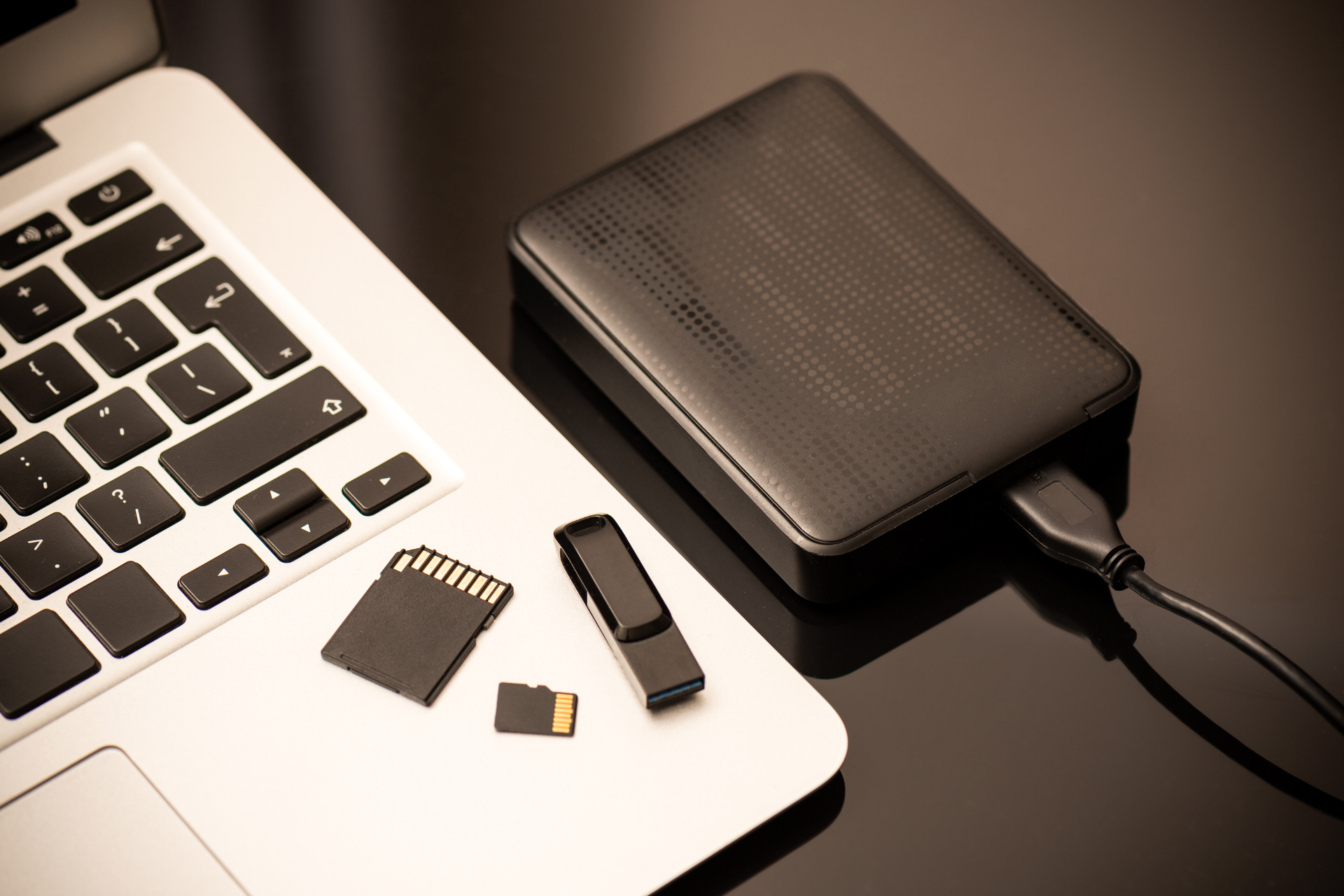
Backing Up Devices

Here at Nicell Wireless, we understand that your devices are more than just gadgets; they’re lifelines to your world. Whether you’re using your cell phone for work, your laptop for school, or your gaming system for a bit of fun, we know how crucial it is to keep your data safe. But what do you do when your device needs repairs? The answer is simple: back it up! Here’s how to make sure all your important data is protected before you bring your device to us.


Step 1: Check What You Need to Back Up


Before diving into the backup process, take a moment to identify what’s essential. This typically includes:


- Contacts

The people you communicate with daily.

- Photos and Videos

Priceless memories worth saving.

- Documents

Work files, school assignments, and any important paperwork.

- Apps and Settings

Sometimes you might want to save your specific app data and settings.


Step 2: Choose Your Backup Method


Depending on your device, there are several user-friendly options to back your data up.


For iPhones:

Use iCloud to back up your device seamlessly.


1. Go to Settings

2. Tap on your name at the top.

3. Choose iCloud > iCloud Backup

4. Turn on iCloud Backup and tap Back Up Now


Alternatively, you can also back up using iTunes by connecting your phone to your computer and selecting the "Back Up Now" option.


For Samsung Devices:

Samsung has its own Smart Switch application that makes backing up data a breeze.


1. Download the Smart Switch app from the Google Play Store.

2. Connect your phone to your computer using a USB cable.

3. Launch Smart Switch and choose "Back Up".


You can also use your Google account to back up important data by going to Settings > Accounts and Backup > Backup and Restore.


For Laptops and Computers:

Backing up your laptop is crucial, especially if you rely on it for work or school.


- Windows Users:

Use File History or OneDrive.

  - Go to Settings > Update & Security> Backup to set up File History.

- Mac Users:

Time Machine is your best friend.

  - Connect an external hard drive and follow the prompts in System Preferences > Time Machine.


Step 3: Check Your Backup


After initiating the backup process, double-check to ensure that everything important is saved. Verify that your photos, contacts, and documents are accessible in your backup location. It’s better to confirm now than to find out later that something important didn’t transfer.


Step 4: Prepare for the Repair


Now that you’ve secured your data, you’re ready to bring your device to Nicell Wireless. Ensure you have all the necessary information about your device and any specific issues you’ve noticed. This helps our technicians pinpoint the problem faster, getting you back to your daily routines in no time.


Conclusion


Backups are a crucial step before repairs, and at Nicell Wireless, we want your repair experience to be as smooth as possible. Taking a little time to back up your devices can save you from potential headaches and ensure your precious data is safe. Need help with the backup process or have questions about our repair services? Don’t hesitate to reach out; we’re here to help!
DEJI phone batteries for cell phone repair, battery replacement and smartphone repair in Salt Lake
By HUMBERTO DIAS August 11, 2026
Find reliable cell phone repair in Salt Lake City, Utah. Nicell offers iPhone and Samsung screen, battery, back glass and charging port repair.
iPhone water damage repair inspection at Nicell Cell Phone Repair South Salt Lake Utah
By HUMBERTO DIAS August 6, 2026
Dropped your phone in water? Learn what to do before repair. Nicell Cell Phone Repair in South Salt Lake provides water damage diagnostics and repair.
Broken black iPhone with repair tools and Nicell Cell Phone Repair box for smartphone repair in Orem
By HUMBERTO DIAS August 3, 2026
Learn iPhone back glass repair costs in Utah and save $20 OFF at Nicell Cell Phone Repair Orem. Fast, affordable iPhone repair in Utah County.
Teléfonos en venta West Valley City Utah iPhone Samsung desbloqueados Nicell Cell Phone Repair
July 29, 2026
Encuentra teléfonos en venta en West Valley City, Utah. iPhone, Samsung desbloqueados, smartphones y financiamiento disponible en Nicell Cell Phone Repair.
Cell phone repair technician workspace at Nicell Cell Phone Repair South Salt Lake with repair tools
By HUMBERTO DIAS July 24, 2026
Need iPhone screen repair in South Salt Lake, Utah? Nicell offers same-day cracked screen replacement, affordable phone repairs, and professional service for Salt Lake City, Murray, Holladay, and nearby areas.
Cell phone repair in Orem Utah featuring a smartphone and Nicell Cell Phone Repair
By HUMBERTO DIAS July 22, 2026
Looking for phone repair in Orem Utah? Nicell Cell Phone Repair helps UVU students and local customers with iPhone, Samsung, tablet, and computer repairs.
Same day phone repair in West Valley City Utah for iPhone and smartphones
By HUMBERTO DIAS July 17, 2026
Need cell phone repair in West Valley City? Nicell offers iPhone, Samsung & smartphone repairs with $20 OFF all repairs. Fast local service you trust.
Nicell Cell Phone Repair in South Salt Lake Utah providing iPhone, Samsung, and smartphone repair
By HUMBERTO DIAS July 15, 2026
Need phone repair in South Salt Lake, UT? Nicell offers same-day iPhone, Samsung, screen, battery, charging port, and device repair services near Salt Lake City.
By HUMBERTO DIAS July 2, 2026
Protect your phone this summer, especially for delivery drivers. Get $20 off repairs at Nicell Cell Phone Repair today!
Blue promo ad for Nice Cell Phone Repair: $20 off battery replacement, all phone models, West Valley City.
By HUMBERTO DIAS July 1, 2026
Get same-day iPhone battery replacement at Nicell Cell Phone Repair. Enjoy $20 off today and restore your device's performance!
By HUMBERTO DIAS June 29, 2026
Fast, Affordable Phone Repair FAQs for South Salt Lake and Surrounding Areas
By HUMBERTO DIAS June 26, 2026
South Salt Lake Cell Phone Repair | Battery Replacement Near Salt Lake City
By HUMBERTO DIAS June 22, 2026
🔋 iPhone Battery Replacement in Orem, Utah | $20 OFF | Same-Day Service Near BYU & UVU
By HUMBERTO DIAS June 17, 2026
Keep your tablet fast, safe, and long-lasting with these simple tips
By HUMBERTO DIAS June 15, 2026
Simple Mobile Free Phone Promotions and Activation in Salt Lake City
By HUMBERTO DIAS June 11, 2026
👉 Before you trade in your phone, discover how simple repairs can help you qualify for the highest possible credit value and save more on your upgrade.
By HUMBERTO DIAS June 8, 2026
Fast, affordable charging port cleaning and replacement for iPhone, Samsung, Google Pixel, Motorola, and more in South Salt Lake, Utah.
By HUMBERTO DIAS June 5, 2026
Affordable cell phone repair in Orem for college students, including iPhone, Samsung, tablet, and computer repair services.
By HUMBERTO DIAS June 2, 2026
Save on professional phone, tablet, and computer repair services for new customers in South Salt Lake, Utah.
By HUMBERTO DIAS May 28, 2026
Protect your phone from viruses, malware, and performance issues in Orem, Utah
By HUMBERTO DIAS May 26, 2026
Same-day water damage phone repair in South Salt Lake with trusted iPhone and Samsung diagnostics and recovery services.
By HUMBERTO DIAS May 18, 2026
📱 Same-Day Phone Repair in Utah – Fast, Reliable iPhone & Samsung Repair You Can Trust
By HUMBERTO DIAS May 12, 2026
Fast iPhone Back Glass Repair in South Salt Lake, Orem & West Valley City – Same-Day Service Available
By HUMBERTO DIAS May 6, 2026
🔋 iPhone, Samsung & Tablet Battery Replacement in Salt Lake City, Orem & West Valley (Same-Day Service)
More Posts